



Understanding Tablet Types: Which One is Right for You?
Different Tablet Types Explained
When considering which tablet is right for us, it’s essential to understand the different types available in the market. First, we have the basic tablets, which are great for everyday tasks like browsing the web, streaming videos, and reading e-books. Then, there are productivity tablets which often come with keyboard attachments and are more powerful; these are aimed at users who need to create documents or presentations on the go. For those who enjoy gaming, there are gaming tablets equipped with high-performance processors and graphics. Lastly, we cannot forget about 2-in-1 tablets that blur the lines between a tablet and a laptop, giving us the flexibility of a touch interface with the efficiency of a keyboard.
Key Features to Consider When Buying a Tablet
Display Quality and Size
The display is one of the most critical features to consider when selecting a tablet. A high-resolution display enhances our viewing experience whether we’re watching movies or reading. If we frequently use our tablet for media consumption, a larger screen might be preferable as it provides more immersive visuals.
Battery Life
No one enjoys running out of battery, especially when we rely on our tablets for various tasks throughout the day. When selecting a tablet, look for models that boast extended battery life — ideally, over 10 hours of active use — so we can enjoy uninterrupted usage whether at home, work, or during travel.
Operating System and App Compatibility
Choosing between iOS and Android can be daunting, but it ultimately comes down to our preferences and needs. If we are already ingrained in the Apple ecosystem, an iPad would seamlessly integrate with our devices. On the other hand, if we prefer a more customizable experience, then Android tablets might be the way to go. Additionally, it’s vital to ensure that the tablet supports the apps we need.
Storage Options
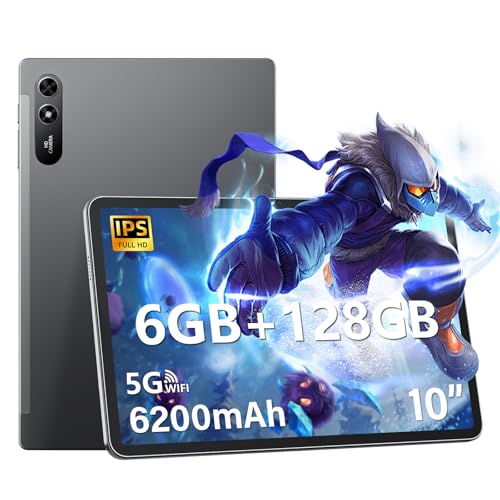
Tablets come with various storage options ranging from 16GB to over 1TB. If we plan to download a lot of apps, games, or store media, leaning towards higher storage capacity is smart. Furthermore, some tablets offer expandable storage via microSD cards, which can be a significant advantage.
Connectivity Features
Depending on how we use our tablets, connectivity is crucial. Most tablets come with Wi-Fi capability, but if we need to stay connected while on the move, consider those with cellular options. Additionally, features like Bluetooth and USB-C ports can greatly enhance usability.
Top Tablets for Different Needs: Our Recommendations
Best Overall Tablet
For those looking for a reliable all-rounder, we recommend the Apple iPad. It offers excellent performance, a vast app ecosystem, and a user-friendly interface, making it suitable for virtually any task.
Best Tablet for Productivity
If our main goal is productivity, the Microsoft Surface Pro stands out. It combines the functionality of a laptop with the portability of a tablet, providing a fully-equipped Windows experience.
Best Budget Tablet
For readers on a budget, the Amazon Fire HD Tablets are an attractive option. They offer decent performance for basic tasks and media consumption without breaking the bank.
Best Tablet for Gaming
Gamers will appreciate the Asus ROG Tablet, which boasts impressive specs tailored for gaming, including a high refresh rate and enhanced graphics capabilities.
Best Tablet for Kids
The Samsung Galaxy Tab A Kids Edition is perfect for younger users. It comes with kid-friendly features and parental controls, ensuring a safe and engaging experience.
Setting Up Your New Tablet: A Quick Start Guide
Initial Setup Steps
Getting started with a new tablet is straightforward. Begin by charging the device fully. Once charged, power it on and follow the on-screen instructions to set up your language, connect to Wi-Fi, and sign in to your account.
Essential App Downloads
After setting up our tablet, we should consider downloading essential apps that suit our lifestyle, such as social media platforms, productivity tools, and entertainment apps. This step greatly enhances the functionality of your device from the get-go.
Personalizing Settings
Spend some time adjusting the settings according to our preferences. We can customize notifications, display brightness, and privacy settings, ensuring the tablet works just the way we want.
Frequently Asked Questions About Tablets
How do I choose the right tablet for my needs?
Selecting the right tablet involves understanding our specific requirements. Consider factors such as how we will use the tablet, our preferred operating system, and any essential features we may need.
Can tablets replace laptops?
While tablets can handle many tasks typically done on a laptop, such as browsing the web, watching videos, and creating documents, there are scenarios where laptops offer better performance for intensive tasks, like video editing or programming.
What should I do if my tablet is slow?
If we find our tablet running slowly, a few things can help. Start by closing unnecessary apps running in the background and clearing the cache. If performance issues persist, consider a factory reset or upgrading to a tablet with better specs.