







Understanding Monitor Types: Which One Suits You Best?
Different Monitor Technologies Explained
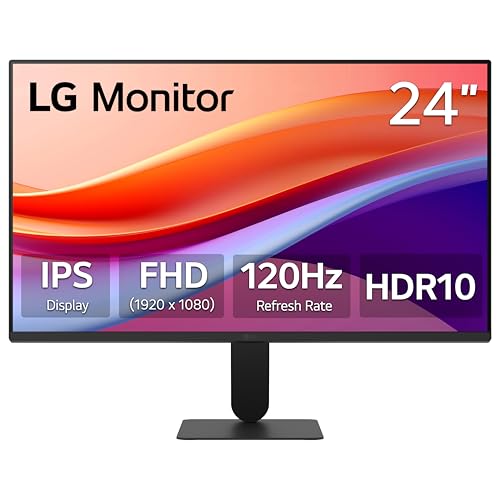
When choosing a monitor, understanding the different technologies available is essential. We have LCD monitors, which are widely used due to their affordability and decent quality. For better color accuracy and viewing angles, we can consider IPS panels, which are perfect for graphic designers and video editors. If speed and response time are paramount, like during fast-paced gaming, we may want to look into TN panels, though they compromise a bit on color vibrancy. Finally, OLED monitors offer stunning colors and deep blacks, providing an exceptional viewing experience, although they tend to be more expensive.
Assessing Your Needs
What do we intend to use our monitor for? Casual browsing or office tasks can be managed with basic LCD screens, whereas gaming and professional work may require higher-end displays. Understanding our primary use can help narrow down the options significantly.
Key Features to Consider: From Resolution to Refresh Rate
Importance of Resolution
The resolution defines how sharp and clear images appear on our screen. Full HD (1920 x 1080) is standard for most tasks, but for those of us interested in gaming or graphic work, 4K (3840 x 2160) offers incredible detail, allowing us to see more of what we’re working on or playing. For gamers, higher resolutions provide a competitive edge.
Understanding Refresh Rate
The refresh rate, measured in Hertz (Hz), indicates how many times the screen refreshes the image per second. A 60Hz refresh rate is standard for everyday use, while gamers often benefit from 144Hz or even 240Hz for smoother motion and less blur during fast action.
Finding the Right Size: How Screen Dimensions Impact Your Experience
Choosing the Right Size for Your Needs
Monitor size can greatly influence our viewing experience. A 24-inch monitor is typically adequate for standard use, but if we enjoy immersive gaming or work extensively with multimedia content, a larger monitor, like a 27-inch or 32-inch, can provide a more engaging experience without requiring us to sit too close. We should also consider how much desk space we have when choosing a size.
Budgeting for Your Monitor: What Should You Expect to Pay?
Setting a Realistic Budget
Prices for monitors can vary significantly based on features and quality. A basic model can start around $150, while varying features can push premium models into the $500 range or more. It’s important to decide what features matter most to us, as some monitors may offer exceptional value with just the right blend of features at a more accessible price.
Setup and Placement Tips: Creating Your Ideal Workspace
Arranging Your Monitor for Comfort
Proper placement of our monitor can enhance our entire computing experience. The screen should be at eye level, about an arm’s length away, reducing strain on our neck and eyes. If our workspace allows, using a stand or arm can elevate the monitor, creating a more ergonomic setup. Additionally, consider whether we need multiple monitors; a dual setup can significantly enhance productivity.