







Understanding the Basics of a Gaming PC: What Do You Need to Know?
The Essence of a Gaming PC
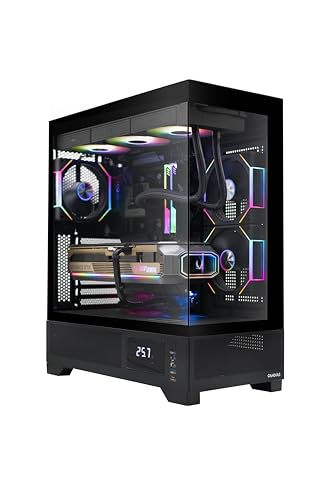
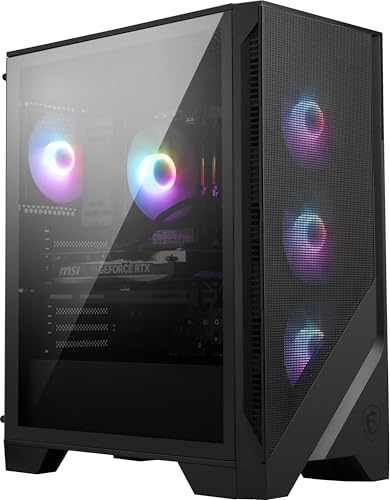
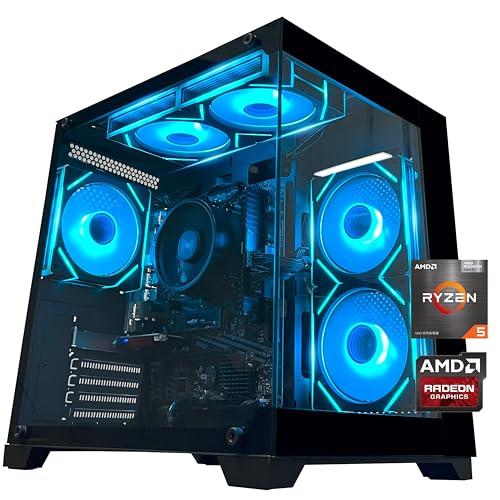
A gaming PC is a powerful computer designed specifically for playing video games, offering enhanced performance compared to regular computers. When we talk about a gaming PC, we refer to a system that can run modern games smoothly at high settings, delivering better graphics and responsiveness. Understanding the key aspects of a gaming PC will help us navigate the choices available.
Performance Expectations
Typically, gaming PCs are evaluated based on their performance capabilities, which are mainly driven by their core components. We need to look for systems equipped with robust hardware that can handle demanding games without lag. This involves focusing on parameters such as graphics quality, frame rates, and load times, which significantly enhance our gaming experience.
Key Components of a Gaming PC: Choosing the Right Parts for Your Setup
The Graphics Card (GPU)
One of the most crucial components of any gaming PC is the graphics card, or GPU. This hardware is responsible for rendering images, videos, and animations in games. A powerful GPU enables us to enjoy high-resolution graphics and smooth gameplay. When shopping for a gaming PC, look for models with top-tier GPUs from well-known brands, as they provide the best visual experience.
The Processor (CPU)
The CPU works alongside the GPU to ensure our games run smoothly. It’s like the brain of the computer, processing all the commands and calculations. A strong CPU is essential, especially for games that require significant processing power. When choosing, we want to look for processors with multiple cores and high clock speeds to support multitasking and demanding game requirements.
Memory (RAM)
RAM is another vital element, often overlooked by first-time gamers. It affects how many applications we can run simultaneously without slowing down the system. For a gaming PC, at least 16 GB of RAM is recommended to ensure that the system runs efficiently and can handle modern games alongside other software.
Storage Solutions
The type of storage we choose also impacts the gaming experience. Solid State Drives (SSDs) offer faster loading times compared to traditional Hard Disk Drives (HDDs). For optimal performance, we recommend looking for a gaming PC with an SSD for the operating system and frequently played games, while having an additional HDD for extra storage.
How to Determine Your Budget: Finding the Perfect Price Range for Your Gaming PC
Understanding Price Ranges
Setting a budget is crucial when investing in a gaming PC. Prices can vary significantly, often ranging from around $700 for entry-level systems to upwards of $2,000 for high-end machines. We need to identify what type of gaming experience we wish to have, as this aligns closely with how much we should be prepared to spend.
Allocating Your Budget
Once we’ve established our overall budget, we should break it down by component importance. Heavy investing in a quality GPU and CPU will likely yield the best performance returns. We can consider spending less on peripherals or other components, but the GPU and CPU, in particular, are areas where skimping can lead us to disappointment.
Essential Features to Look for in a Gaming PC: What Makes a Good Choice?
Cooling Systems
One important feature that often gets overlooked is the cooling system of the gaming PC. Effective cooling ensures that our components remain at optimal temperatures during intense gaming sessions. Look for systems with good airflow designs, quality fans, or liquid cooling options, as these can prolong the lifespan and efficiency of the PC.
Expandability and Customization
We should also consider how easy it is to upgrade or customize our gaming PC in the future. Choosing a system that allows for easy access to internal components means we can replace or upgrade parts as technology advances without needing to buy a whole new system. This trait is especially beneficial for gamers who want to stay at the forefront of gaming performance.
Building vs. Buying a Gaming PC: Pros and Cons for First-Time Gamers
Building Your Own PC
Building our own gaming PC grants us complete control over every component, which can be particularly rewarding for tech enthusiasts. It allows for customization based on our specific needs and helps save money. However, it does come with logistical challenges, requiring technical knowledge and time to assemble and troubleshoot.
Purchasing a Pre-Built Gaming PC
On the other hand, pre-built gaming PCs are a convenient choice for beginners. They come assembled and tested, often with warranties for peace of mind. This option can be more expensive than building our own, but it eliminates the uncertainty and hassle of matching parts. We simply need to pick a system with specifications that fit our gaming preferences.