


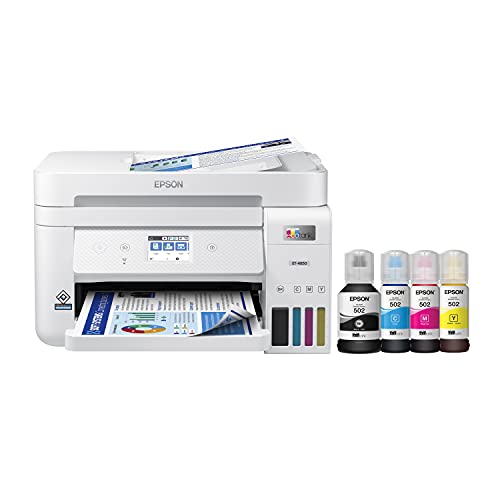


Understanding the Epson EcoTank Printer: What Makes It Unique
What Is an EcoTank Printer?
The Epson EcoTank Printer is unlike traditional printers that rely on standard ink cartridges. Instead, it utilizes a tank system, which allows for a larger volume of ink to be stored. This means that instead of frequently purchasing cartridges, we simply refill the tanks with ink bottles. This design not only enhances efficiency but also significantly reduces our environmental footprint by minimizing waste.
How EcoTank Differs from Conventional Printers
One of the standout features of the EcoTank printers is their refillable ink tanks. Traditional printers often require that we replace ink cartridges regularly, and waste them even when there’s some ink left. EcoTank printers, in contrast, come with high-capacity ink tanks designed to hold enough ink to print thousands of pages before needing a refill. This unique approach not only offers convenience but also allows for greater printing freedom without the constant concern of running out of ink.
Key Features We Love: Efficiency and Convenience Explained
High Volume Printing
One of the biggest advantages of EcoTank printers is their ability to print in high volumes. Whether we’re printing documents for work, school assignments, or even photos, these printers can handle large tasks without needing constant ink replacements. A typical EcoTank model can print thousands of pages on a single tank, which translates to less hassle and more time spent on what truly matters.
Easy Refilling Process
Refilling ink tanks with EcoTank printers is straightforward and mess-free. The ink bottles are designed with a unique spout system that prevents spills, ensuring that we can replenish ink easily without creating a mess. This intuitive design takes the stress out of refilling and allows us to focus on printing.
Compact Design
EcoTank printers boast a compact design, which makes them an excellent fit for homes and small offices where space may be limited. Despite their powerful printing capabilities, these printers can easily be placed on a desk or shelf without crowding the area.
Cost Savings: Exploring the Long-Term Benefits of EcoTank Technology
Reduced Ink Costs
Choosing an EcoTank printer saves us money on ink in the long run. While the initial investment may be higher than traditional printers, the cost per page is significantly lower. The high-capacity ink tanks allow us to print thousands of pages without constantly having to buy new cartridges, significantly reducing our overall printing costs.
Less Frequent Replenishment
With EcoTank technology, we enjoy the benefit of printing without the constant worry of running low on ink. The generous tank size means that we can go months, or even longer, between refills. This not only saves us money, but it also provides peace of mind, knowing that we have ample ink available whenever we need it.
Choosing the Right Model: A Simple Guide for Every Need
Assessing Your Printing Needs
Before purchasing an EcoTank printer, we should first consider our individual printing needs. Are we mostly printing documents? Or do we want to print high-quality photos? Different EcoTank models cater to different needs and understanding our specific requirements is key to making the right choice.
Comparison of EcoTank Models
Epson offers various EcoTank models, each designed for particular usage scenarios. Some models are geared towards home offices, while others are tailored to handle photo printing. Researching features such as print speed, resolution, and additional functionalities like scanning and copying will help us select the best model that fits our lifestyle.
Getting Started: Setting Up Your Epson EcoTank Printer with Ease
Unboxing and Initial Setup
Setting up an EcoTank printer is a straightforward process. Upon unboxing, we’ll be guided through a simple setup procedure that includes installing the ink tanks, connecting to Wi-Fi, and completing the initial maintenance cycle to ensure optimal performance. The user-friendly interface simplifies these steps, making the setup feel seamless.
Connecting to Devices
Connecting our EcoTank printer to our devices—whether it’s a laptop, smartphone or tablet—is made incredibly simple with built-in wireless capabilities. We can easily download the necessary software, follow the prompts for setup, and begin printing within minutes. This ensures we can jump right into our printing tasks without fuss.