





Understanding the Need for a Baby Monitor with a Camera: What to Look For
The Importance of Knowing Your Baby’s Well-Being
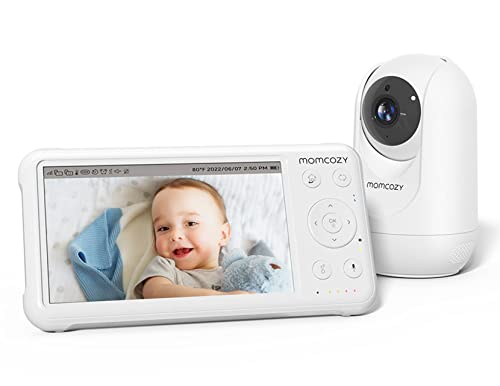
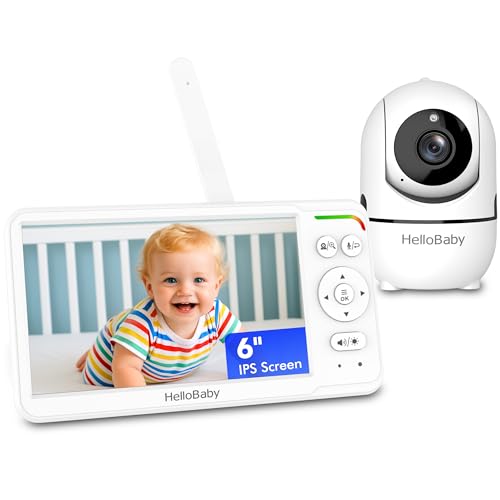
As new parents, ensuring our baby’s safety and well-being while they sleep can often feel overwhelming. A baby monitor with a camera provides real-time video and audio, allowing us to check on our sleeping baby without entering the room. This way, we can soothe them just by our presence without disturbing their sleep. For those who are busy during the day or have a larger home, cameras help us keep an eye on multiple areas where our baby may be. Key considerations in selecting a monitor include the camera’s quality, range, battery life, and ease of use.
Key Features to Consider: Zoom, Night Vision, and Two-Way Audio Explained
The Role of Zoom in Monitoring
A zoom feature lets us focus closely on our baby, giving us details we might miss without it. For instance, zooming in can confirm if our baby is comfortably in their crib or if their pacifier has fallen out. It’s an essential feature for those who value visual clarity.
Why Night Vision is Essential
Day or night, we want to maintain visibility. Night vision ensures that even in the dark, we can monitor our baby’s movements without needing to turn on a light. This capability is especially useful during nighttime feedings or if that little one stirs in the middle of the night—keeping the environment calm and peaceful.
The Benefits of Two-Way Audio
Two-way audio is a game changer in baby monitoring. It allows us not only to hear our baby but also to talk back to them. Imagine soothing your child from another room with just the sound of your voice. We can even use it to remind our toddlers to stay in bed, which is especially handy as they get older.
Setting Up Your Baby Monitor: A Step-by-Step Guide
Choosing the Right Location
Finding the optimal location for our baby monitor is critical. We want to ensure the camera has a clear view of the crib while being placed out of our baby’s reach. Mounting it on a wall or placing it on a dresser, ensuring that the camera angle covers the entire area of the crib, can prevent dead zones that may make monitoring ineffective.
Connecting to Wi-Fi and Downloading Apps
Almost all modern baby monitors with cameras work via Wi-Fi and come with dedicated apps. Setting this up is usually intuitive; we simply download the app, follow the on-screen instructions for connecting our monitor to home Wi-Fi, and ensure the monitor is registered to our account. This setup allows for seamless live streaming and notifications on our smartphones.
Testing and Adjusting Settings
After setup, it is beneficial to test the monitor. We should walk around the house and check the range and audio quality. Adjusting the settings to our preference, such as sensitivity levels and alert features, ensures that we’re well prepared when it’s time to use it for real monitoring.
Best Models on the Market: Our Top Picks for Every Budget
High-End Options
For those willing to invest more, high-end models often feature advanced functions like seamless app integration, multiple camera setups, and superior video quality. They offer extensive coverage and additional features, like temperature monitoring, making them money well spent for many parents.
Mid-Range Alternatives
Mid-range models provide a great balance of quality and features without breaking the bank. These usually include decent video quality, basic night vision, and two-way audio. They are practical for families needing reliable performance without extra frills.
Budget-Friendly Picks
For budget-conscious buyers, numerous reliable options do not compromise on safety and functionality. Basic models often still include essential features such as clear video, decent battery life, and basic night vision, making them affordable yet effective solutions for monitoring our little ones.
Maintaining Privacy and Security: Tips for Using Your Baby Monitor Safely
Wi-Fi Security is Key
Given that many baby monitors operate over Wi-Fi, safeguarding our network is crucial. Changing default passwords and utilizing strong, unique passwords can help protect against unauthorized access. Understanding encryption levels can also provide reassurance when using such devices.
Regular Software Updates
Just like any smart device, baby monitors need updates to maintain security protocols. Regularly checking for and installing firmware updates ensures that our device remains protected against vulnerabilities. These are usually prompt reminders via the monitor’s app.
Placement Considerations
In addition to placement for visual access, ensuring the camera isn’t directed toward high-traffic areas in our home can also help maintain privacy. We want the monitor focused solely on our baby’s area, minimizing risks of revealing too much about our daily lives.